
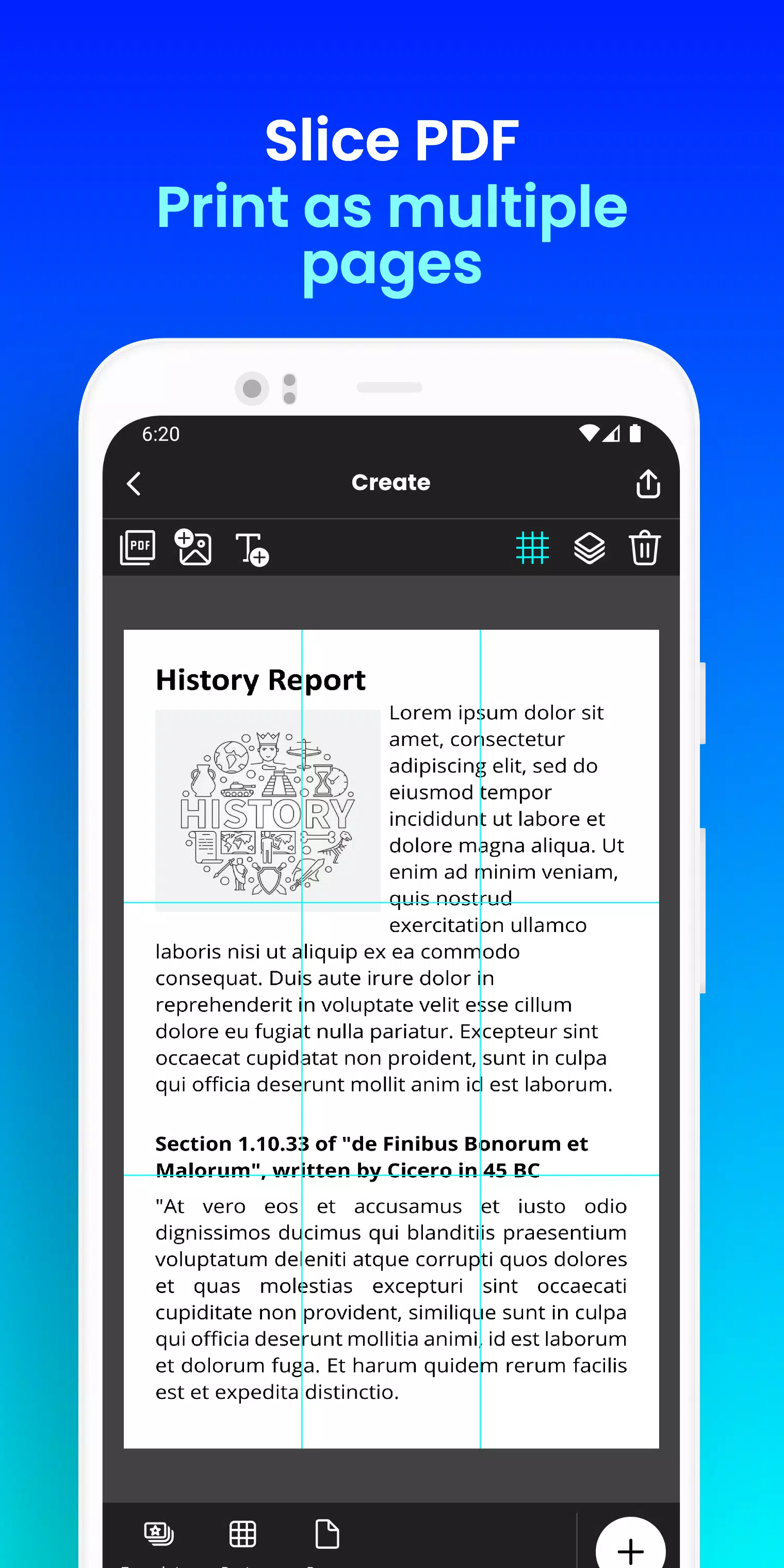
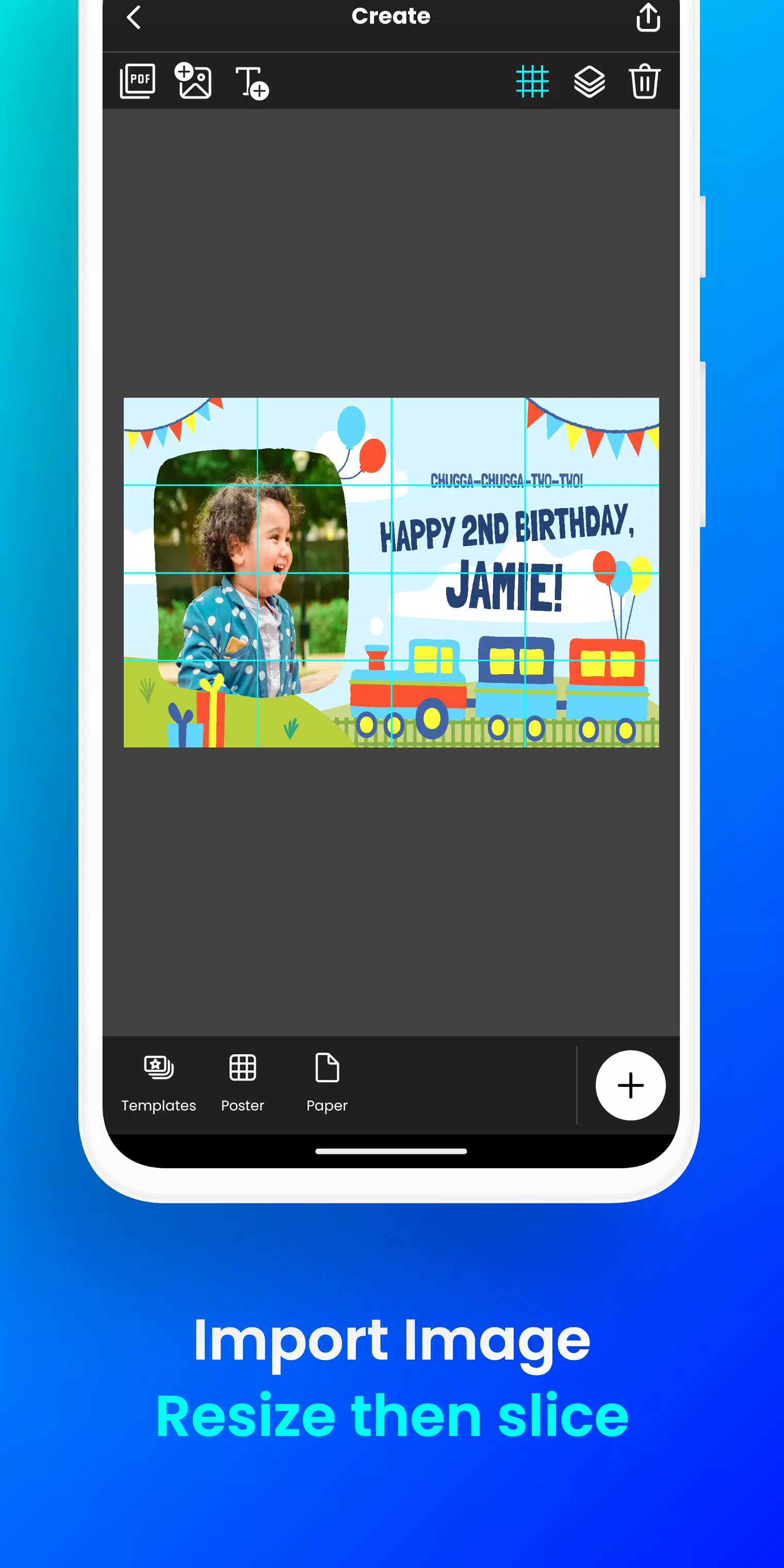
Print giant posters right from your phone. Create a block poster in just a few taps! 從你的手機上直接列印巨型海報。只需幾次點選即可建立拼貼式海報! Want to create massive posters, banners, or wall art without a professional printer? 想要在沒有專業印表機的情況下製作大型海報、橫幅或牆面裝飾嗎? Docuslice transforms any image or PDF into a stunning, multi-page masterpiece using your regular home printer! Tiled printing has never been simpler. Docuslice 可將任何圖片或 PDF 轉換為令人驚歎的多頁作品,只需使用普通家用印表機即可!拼貼列印從未如此簡單。 Here’s how it works: 使用方法如下: - Import your image or PDF. - 匯入你的圖片或者PDF檔案。 - Customize to perfection: Easily resize and add text. - 完美定製:輕鬆調整大小並新增文字。 - Docuslice automatically slices your design into printable tiles. - Docuslice 自動將設計切割成可列印的拼貼塊。 - Print the tiles on any paper size and assemble them into a giant poster! - 在任何尺寸的紙張上列印這些拼貼塊,然後組裝成一張巨型海報! Perfect for: 適用於: - Eye-catching event posters (birthdays, holidays, and more) - 吸引眼球的活動海報(生日、節日等) - Educational charts and school decorations - 教育圖表和學校裝飾 - Unique wall art for your home or office - 為家庭或辦公室打造獨特的牆面藝術 - Statement-making campaign posters - 彰顯個性的競選海報 - Large banners for any occasion - 適用於各種場合的大型橫幅 - Activism and awareness posters - 社會活動與宣傳海報 Docuslice is: Docuslice 的特點: - FREE to download and use! - 免費下載和使用! - Incredibly easy to learn and operate. - 極其簡單易學易用。 - Compatible with any image or PDF file. - 相容任何圖片或PDF檔案。 - Reduces printing costs significantly. - 大幅降低列印成本。 - Eco-friendly — eliminates the need for large-format printers! - 環保——無需大型印表機! Ready to unleash your creativity and print giant posters with ease? Download Docuslice today! 準備好釋放你的創意,輕鬆列印巨型海報了嗎?立即下載Docuslice! ### What's New in Version 2.1 版本 2.1 更新內容 Last updated on Nov 9, 2024 最後更新於 2024年11月9日 - Updated the authentication process to use OTP, removing password-based login. - 更新了認證流程,採用一次性密碼(OTP),移除了基於密碼的登入方式。 - Added a new paper size (A3+ / Super B). - 新增了一種紙張尺寸(A3+/超級B)。 - Added scissor markings as cutting guides, with the option to show or hide them from the export preview. - 新增了剪刀標記作為裁剪指引,並可在匯出預覽中選擇顯示或隱藏。 - Full support for both phones and tablets. - 全面支援手機和平板裝置。 - This release also includes bug fixes and improvements to overall app stability and performance. - 此版本還包含錯誤修復以及對應用整體穩定性和效能的改進。 - We value your feedback and support in helping us improve the app. - 我們重視你的反饋與支援,幫助我們持續最佳化應用體驗。

Docuslice
4.8












熱門新聞
更多
最新應用
更多





最新新聞
更多

揭秘《榮耀之槍》深海寶藏活動
《怪物獵人Now》第五季以激動人心的全新“巔峰”活動落下帷幕。享受雙倍獎勵、頂級怪物登場以及諸多其他福利。行動要快——該活動限時開放,時間為6月9日至6月17日。隨著春季接近尾聲,Niantic 為其熱門增強現實(AR)遊戲《怪物獵人Now》結束第五季並不令人意外。但玩家無需只是等待後續內容,一個全新的活動已經到來,以壯觀的方式為本賽季畫上句號!《怪物獵人Now》第五季“巔峰”活動將於6月9日至17日舉行。在此期間,雄火龍、斬龍、彩鳥和斬龍的活躍度將有所提升。 elusive 的霞龍也將出現在“
我們已找到字謎線索 Break the law, by one's own admission 的五字母答案,該線索出現在 2026 年 5 月 30 日的《紐約時報字謎》中。我們將協助您破解這一棘手線索,助您輕鬆完成拼圖。Break the law, by one's own admission 字謎答案↓40. ????? 點選/點選 ? 方塊以顯示一個字母。在下面查詢更多線索、提示和資訊。隱藏 啟用提示 點選/點選 ? 方塊以顯示一個字母。在下面查詢更多線索、提示和資訊。有用提示提示 1:
《Bloomtown: A Different Story》現已登陸移動端。在暑期度假期間,探索一座迷人的 1960 年代小鎮。並透過與惡魔勢力戰鬥來拯救世界!JRPG 型別以其塑造了現代遊戲風格的邪典經典而聞名。《Mother》(在西方稱為《Earthbound》)和《真·女神轉生:Persona》系列便是其中的典型代表。那麼,將它們的元素融合在一起會得到什麼?答案就是《Bloomtown: A Different Story》,現已在移動裝置上提供。這款畫素藝術風格的 JRPG 在去年首次亮
熱門應用