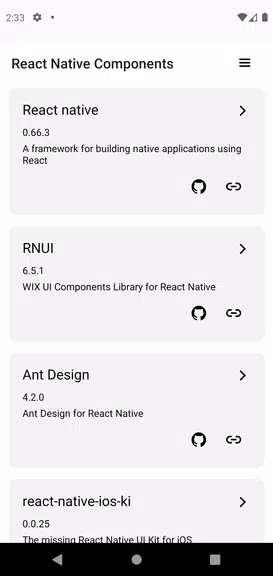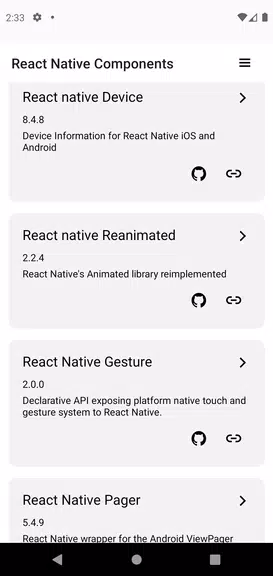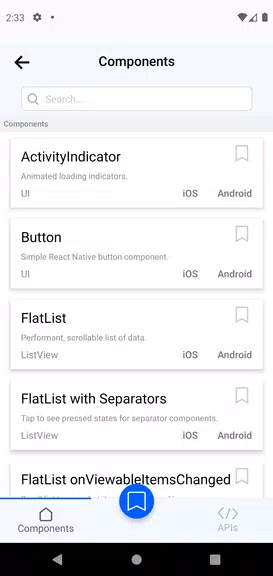

Explore a rich collection of Expo and React Native UI components with our innovative Explorer app. Skip the guesswork of integration with instant live previews that show you exactly how each component will look and perform in your own project. Review and test components before committing, saving time and avoiding rework by understanding their behavior and flexibility. Navigate quickly through our smooth interface, designed for speed—so you can focus on building amazing apps without tedious manual adjustments.
Key Features of Expo & React Native Components:
1. Instant Previews of UI Components
Visualize how each UI component appears instantly—no surprises during integration. It's like trying before buying, so you’re certain the component matches your design vision.
2. Deep Component Insights
Understand every detail about a component before you use it. Learn about its features and adaptability so you can make informed choices and prevent costly rework.
3. Fast and Intuitive Navigation
Move through components with ease and speed to save development hours. Our streamlined layout gives you quick access to detailed component views—no manual setup required.
4. Real-World Demo Environment
Get a genuine understanding of how components work by interacting with them under real device conditions. This means requesting necessary permissions for access to native features.
5. Complete React Native Demos
Watch demos of every React Native component and API to fully grasp their power and potential—a must for developers aiming to maximize React Native in their apps.
6. Frequent Updates & Enhancements
The app stays current with the latest React Native releases and library versions. Regular updates give you access to cutting-edge features and ongoing improvements.
Tips for Users:
* Quickly locate specific components using the search function, which saves time and lets you focus on your project goals.
* Review detailed component guides in the app to learn about customization options and integration methods tailored to your needs.
* Try combining various components to see how they interact and help form a consistent, polished app design.
Conclusion:
Jumpstart your Expo and React Native development journey—explore components instantly with live previews, full insights, and an easy-to-use interface. Eliminate risky blind integrations and skip tedious customizations. Download the app today and build with confidence.