
Bring your everyday photos to life with Blur Background: Blur Photo, an innovative app that turns ordinary images into striking works of art. Powered by cutting-edge artificial intelligence, the app instantly identifies your photo’s background, applying a smooth blurred look—no manual selection needed. Featuring an intuitive interface and multiple blur styles such as Square, Circle, and Diamond, you can creatively elevate your selfies and photos in seconds. Plus, personalize your shots even more with tools like Brightness, Saturation, Crop, and Filters for truly polished results.
Blur Background: Blur Photo Features:
Auto-Detect AI Technology:
Thanks to smart artificial intelligence, the app automatically detects your photo’s background and softly blurs it, streamlining the editing experience for quick and effortless enhancement.
Multiple Blur Effects:
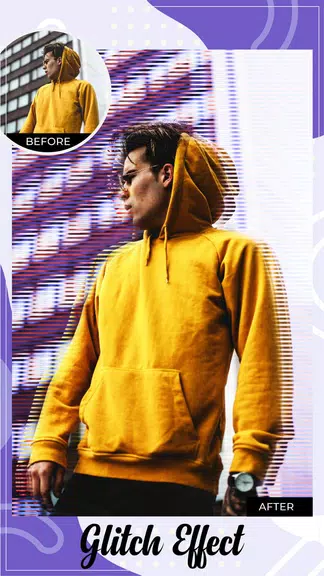
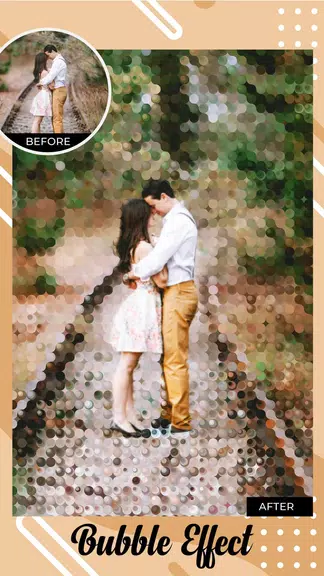
Choose from unique blur styles—Square, Circle, Diamond, Pixel, Glitch, and more—to make your selfies pop with creativity. Experiment with various looks to define your signature style.
Advanced Editing Tools:
Along with blur effects, the app includes a full suite of editing tools: adjust Brightness and Saturation, apply Crop and Filters, and even add text, stickers, and captions for a personalized touch.
Works Offline:
Skip the internet—this app works perfectly offline. Edit and create beautiful photos wherever you are, making it a handy tool for everyone, anywhere.
Tips for Users:
Try Different Blur Effects:
Explore the variety of blur effects to see which ones elevate your photos. Combine different styles for a unique look that captures your personality.
Enhance with Editing Tools:
Use the editing tools to fine-tune brightness, saturation, and more, giving your photos that extra spark. Tweak settings until they match your vision.
Add Text and Stickers:
Infuse personality and fun into your photos by adding text, stickers, and captions. It’s a great way to make your images stand out and shine on social media.
Conclusion:
Blur Background: Blur Photo is a comprehensive yet easy-to-use editing app packed with smart features to give your images a smooth, blurred background. Combining AI technology, versatile blur effects, and a robust set of editing tools, it helps you transform any photo into an eye-catching creation. Whether you're a beginner or a pro, Blur Background: Blur Photo unlocks your creative potential—helping every snapshot reach the next level. Download it today and start producing beautiful, blurred photos that impress friends and followers alike.